Convert Text to Presentation with AI — From Idea to Slides in Minutes
How to turn any text or idea into a professional presentation using AI — step by step, with no templates and editable PowerPoint output.
Convert Text to Presentation with AI
You have a report. A project proposal. Meeting notes. A paragraph you scribbled together right before a deadline.
And you need a professional presentation. Yesterday.
This scenario plays out every day — in offices, universities, and conference rooms. You have the content, but turning it into polished, well-designed slides eats up time you don't have.
In this article, we explain how you can convert any text into a complete presentation using AI — without opening PowerPoint, and without hunting for templates.
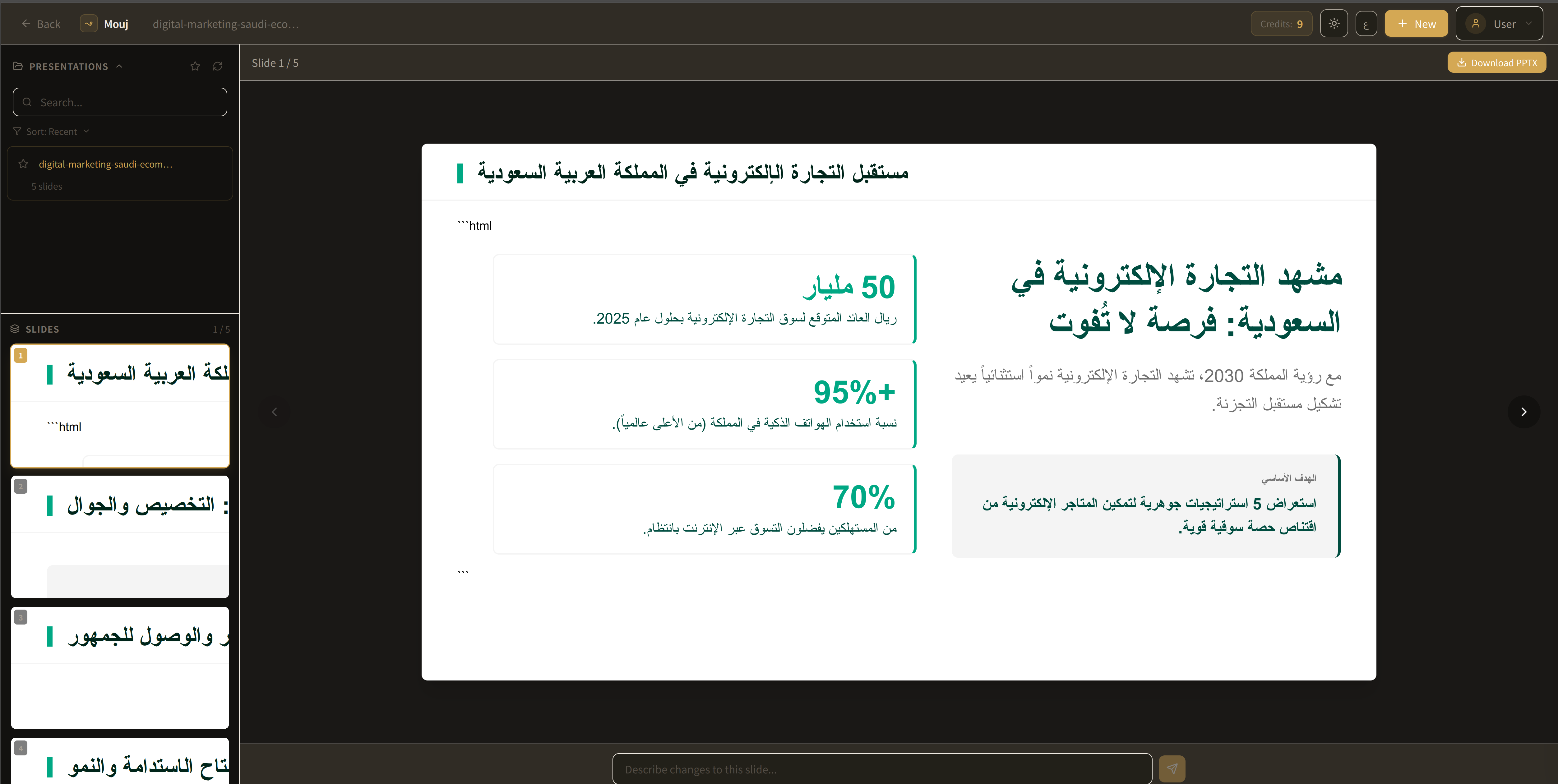
The Problem We All Know
Let's be honest: designing presentations is exhausting.
Not because the content is hard — but because formatting steals your time. You pick a font, adjust its size, search for a matching color, and try to balance text across slides until every layout starts to feel fragile.
Two hours of work... and the result doesn't match the effort.
Traditional tools — PowerPoint, Google Slides — were built for an era when manual design was the only option. But in 2026, that no longer makes sense.
How Does AI Text-to-Presentation Work?
The idea is simple: you enter the text, and AI handles everything else.
But "everything else" here is no exaggeration. The AI does the following:
Understands the content. It doesn't randomly split text across slides — it grasps the logical structure: what's the introduction? What are the key points? What's the conclusion?
Organizes the slides. It decides how many slides you need, what appears on each one, and how the content flows naturally.
Designs from scratch. It doesn't pick a ready-made template and stuff your text into it — it builds a unique design that fits your specific content.
Exports a real file. Not a presentation trapped inside a browser — but an actual PowerPoint (.pptx) file you can open and edit completely.
Step by Step: Convert Text to a Presentation with Mouj
Step 1: Write Your Idea
You don't need to write an entire essay. A single sentence is sometimes enough.
Examples:
"A presentation about digital marketing strategies for startups in Saudi Arabia"
"Q1 performance report — achievements, challenges, and next quarter's plan"
"A simple explainer on cybersecurity for new employees"
All you need is to convey the idea. Mouj understands the rest.
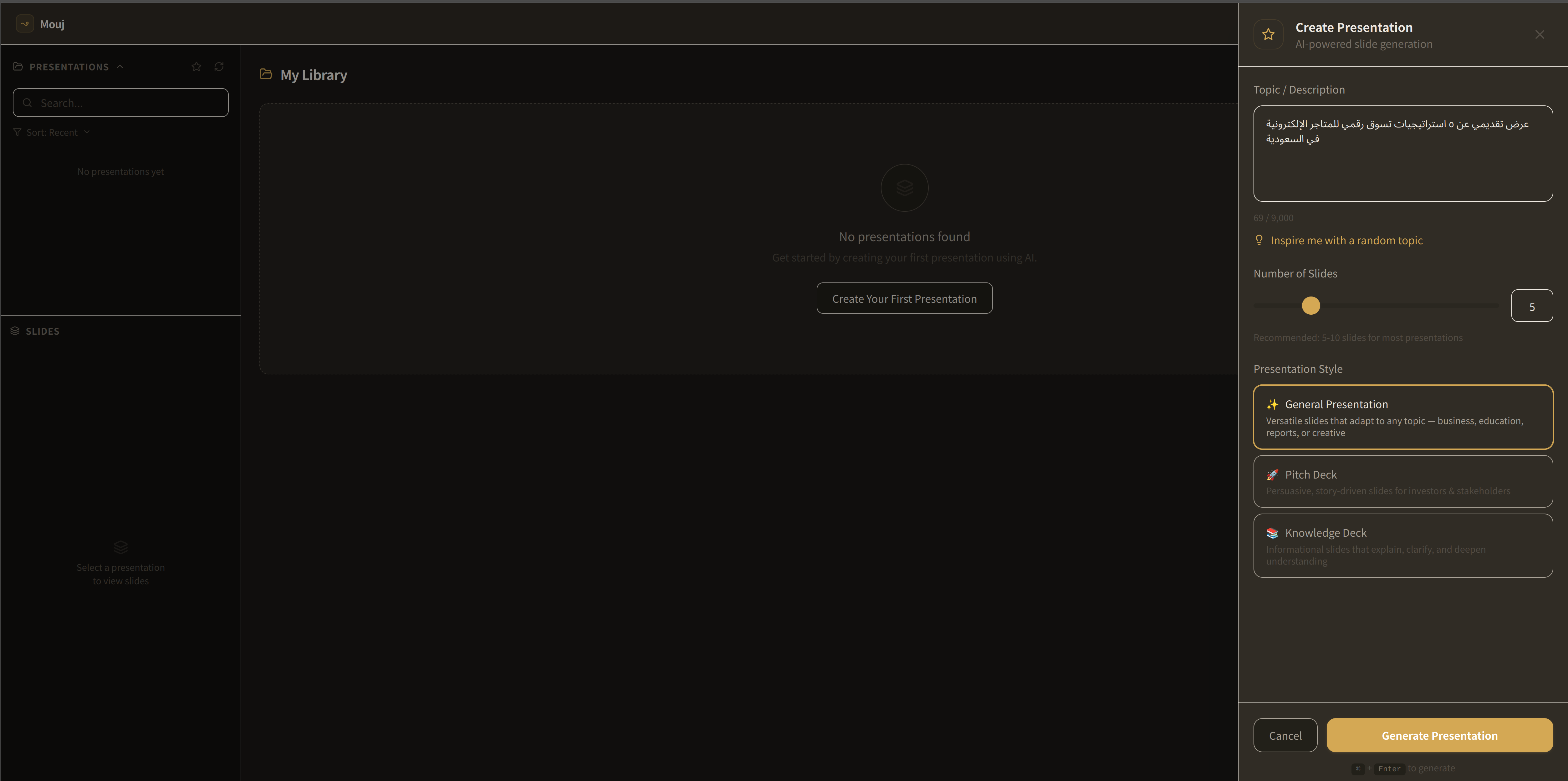
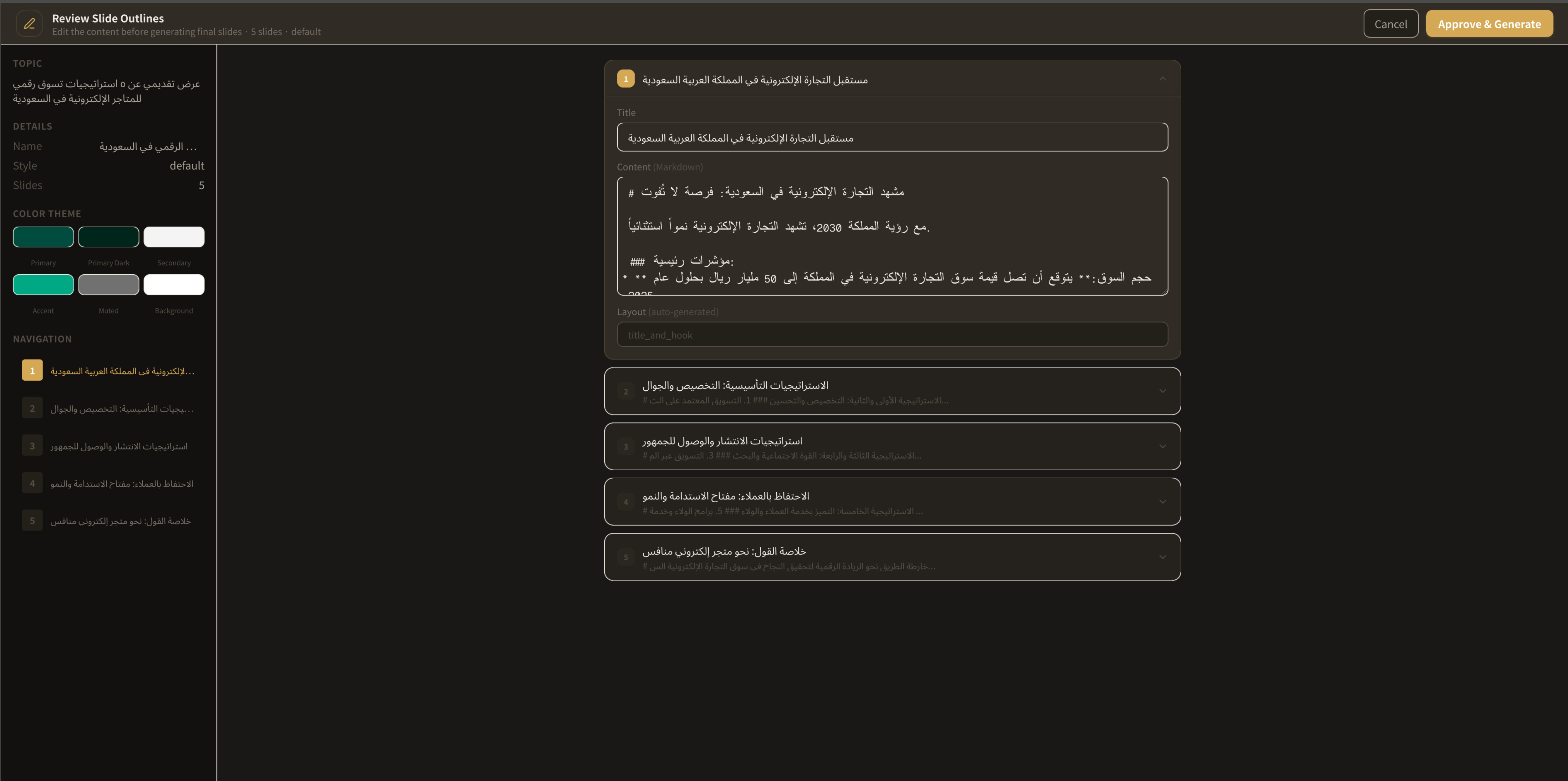
Step 2: Mouj Takes Over
Once you hit "Create," the AI gets to work:
- Analyzes the text and extracts the key ideas
- Decides on the presentation structure and number of slides
- Designs each slide with a unique layout — no repeated templates
- Exports an editable PowerPoint file
All of this happens in minutes. Not hours. Minutes.
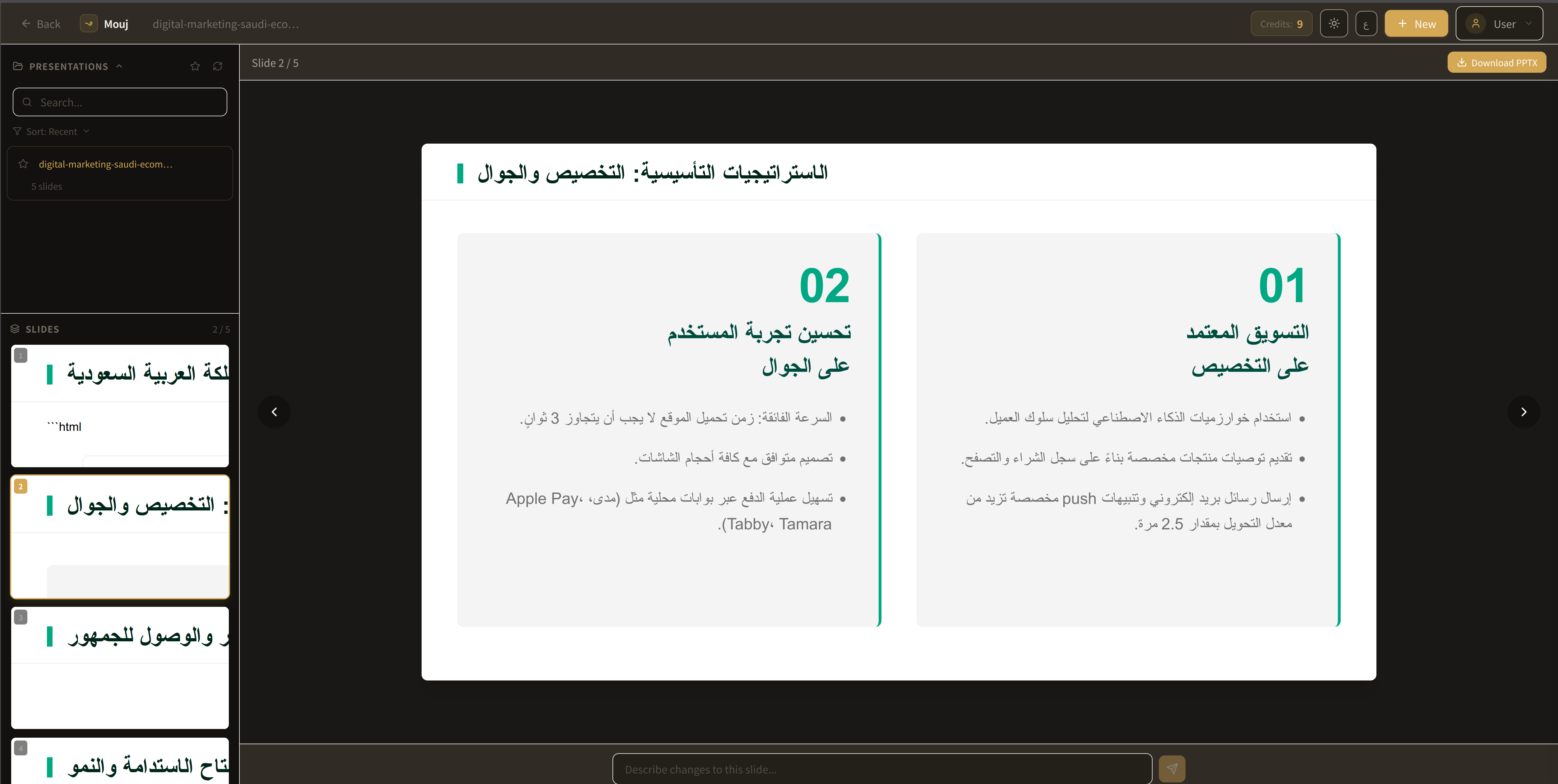
Step 3: Download and Present
Your presentation is ready. Download it as a .pptx file — open it in PowerPoint, Google Slides, or Keynote. Edit it if you want, or present it as is.
Why Mouj Specifically?
Many tools claim to convert text to presentations. What makes Mouj different?
No Templates
Every other tool starts by asking: "Pick a template." Mouj doesn't. Every presentation is built from scratch based on your content. You won't find the same design anywhere else.
Real PowerPoint Files
It doesn't lock you inside a platform. You download the .pptx file and own it completely. Open it offline, edit it, share it with your team — no restrictions.
Fast — Actually Fast
From idea to a complete presentation in minutes. Not "relatively fast" — fast enough to change the way you work.
When Should You Use Text-to-Presentation?
This isn't a single-use tool. Converting text to a presentation with AI is useful in more situations than you'd think:
Work reports. You have a written quarterly performance report and need to present it in a meeting — convert it directly.
Project proposals. You wrote a two-page proposal and need a presentation to go with it — enter the text and get slides that back up your pitch.
Lectures and training. You have educational content ready and need slides to help explain it — done in minutes.
Sales pitches. You need a quick presentation for a potential client — no time to open PowerPoint and start from scratch.
Tips for the Best Results
Be Specific
The clearer your idea, the better the presentation.
❌ "Make me a presentation about marketing"
✅ "A presentation about 5 digital marketing strategies for e-commerce stores in Saudi Arabia"
Specify Your Audience
Mentioning the audience helps the AI choose the right tone:
- "For the board of directors" → formal style, numbers and data
- "For university students" → simplified style, practical examples
- "For investors" → focus on numbers and opportunity
Review the Content
AI is smart, but it's not infallible. A quick review of facts and figures is essential — especially for formal presentations.
Try It Yourself
You don't have to take our word for it. Try Mouj now and see the results for yourself.
Write one idea. Wait a minute. Download the presentation.
If you don't like it, you've lost nothing but a minute. And if you do — and chances are you will — you've just saved yourself hours.
Continue Reading
The AI Presentation Maker Market in 2026: Size, Growth, and Key Players
How big is the AI presentation maker market in 2026, who are the main players, and where are the biggest gaps? A simple, data-backed breakdown.
AI Slideshow and AI PowerPoint Maker: Create Better Decks Faster
Use Mouj as an AI slideshow and AI PowerPoint maker to turn ideas into polished, editable presentations in minutes.
Best Practices for Customizing AI-Designed Slides
Discover how to elevate your AI-generated presentations from good to unforgettable. Read our comprehensive guide on visual consistency, prompt precision, and professional formatting.